Build your own MMO, no coding needed
MMOS: MMO Simulator is a single-player management sim where building the MMO is the game. You shape the world, create the classes, loot, monsters and dungeons in built-in editors, then open the servers and watch simulated adventurers play what you made. Here is how a world comes together, step by step.
Free demo on Steam and itch.io now. Full game on Steam 11 December 2026.
- 01
Shape the world
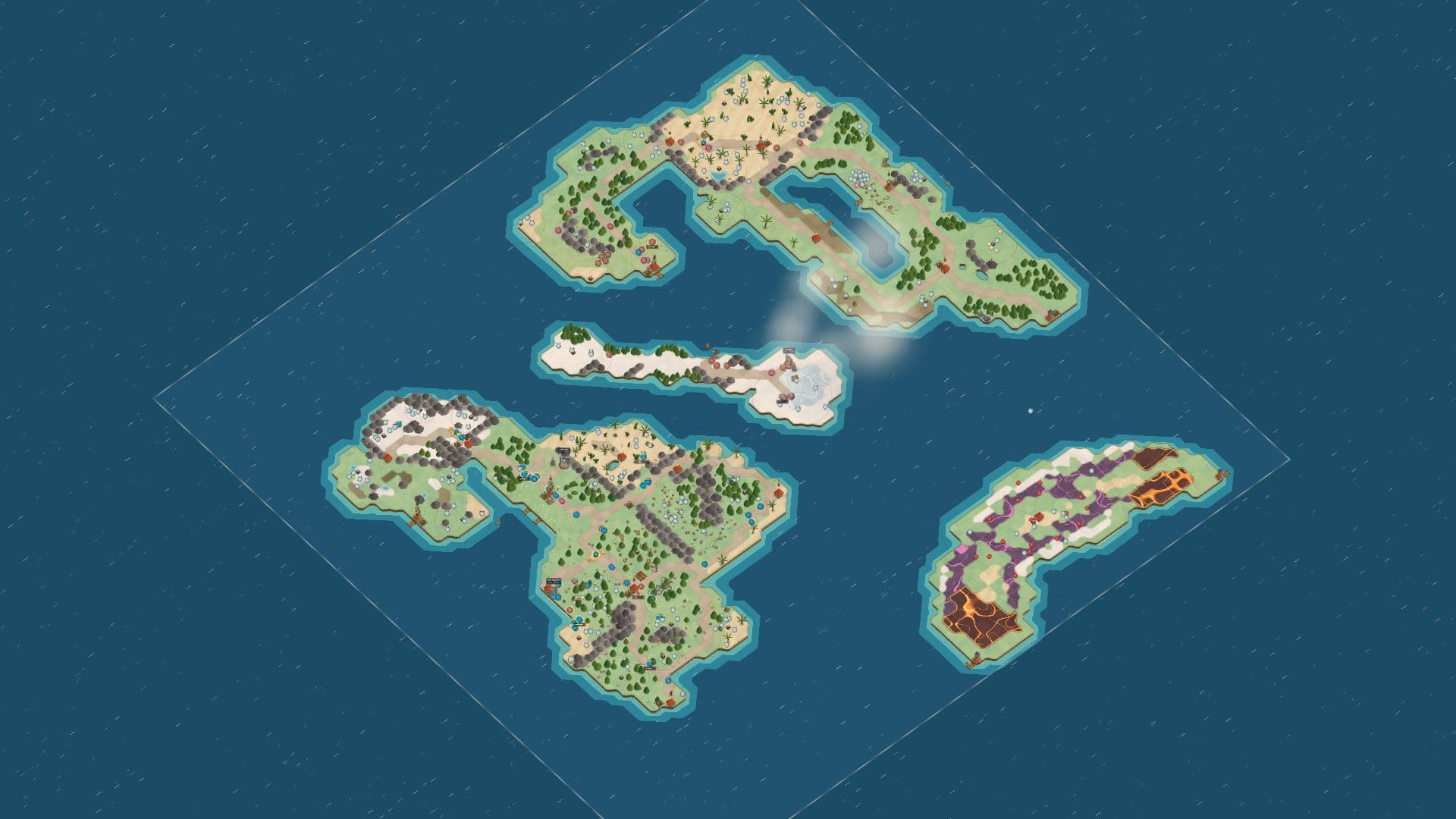
Start with open sea. Raise islands, set coastlines, plant forests and lay roads. Each island gets its own level range, so a chain of themed islands becomes your levelling path.
Every tile costs starting capital. A small, dense starter island opens faster than a sprawling continent, and you can always raise more land once subscriptions are coming in.
- 02
Place towns, docks and hunting grounds
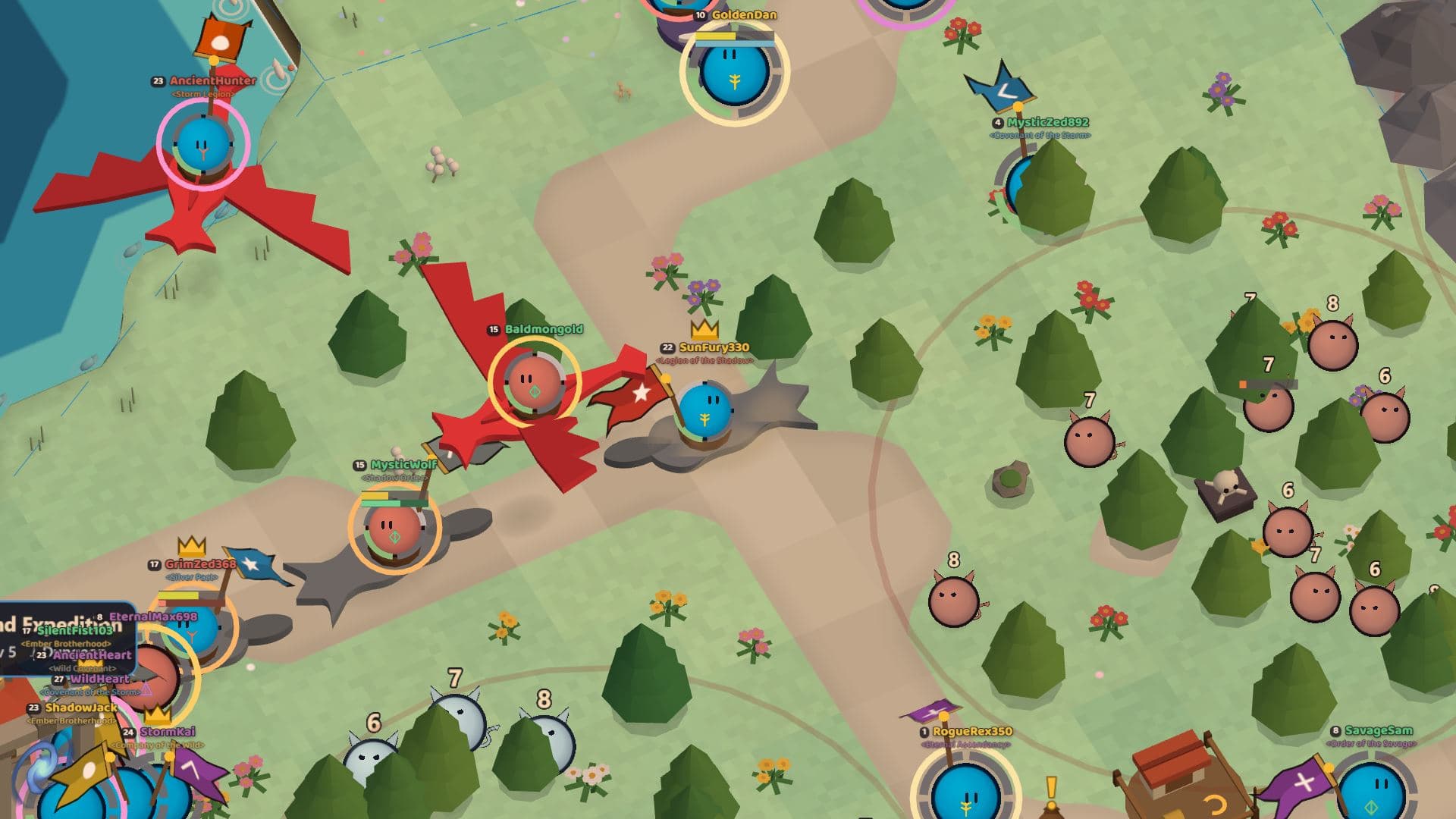
Drop a town where newcomers arrive, an inn to rest in, a graveyard so death has a cost, docks to link your islands and spawners to fill the wilds with monsters.
Each building changes how the server plays. A faction spawner near a town gives level-one adventurers something to fight; a dock between two islands opens a new zone the moment it lands.
- 03
Create races and classes
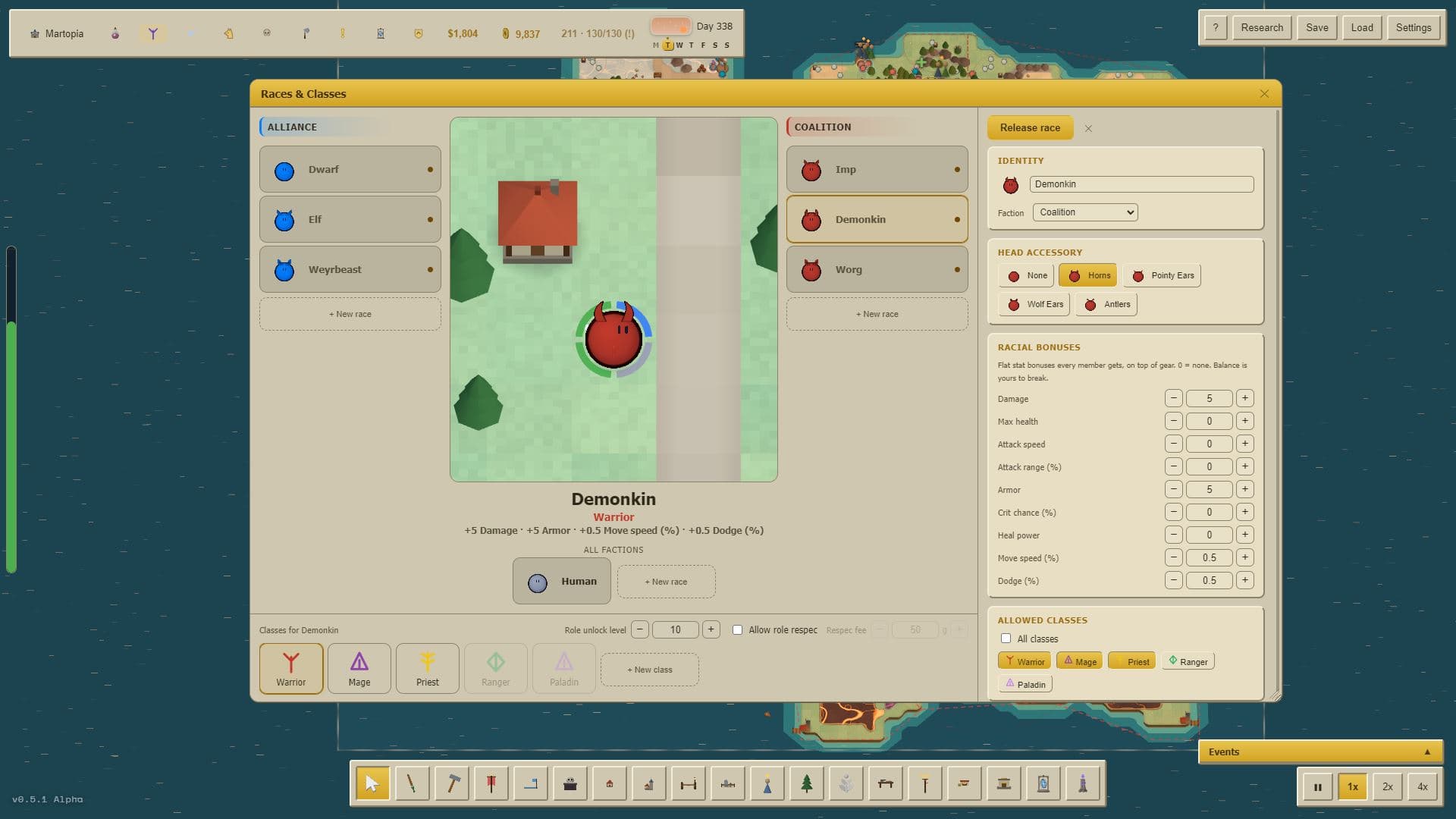
Decide who lives in your world. A race is a look plus a set of bonuses; a class is a role (tank, healer, damage or support) plus the kit that goes with it. You choose which races may roll which classes, and newcomers pick from that list on day one.
Nothing is locked in. If nobody rolls your new class, the class spread chart shows it within a few in-game days, and you can rework the kit instead of guessing.
- 04
Design spells and abilities
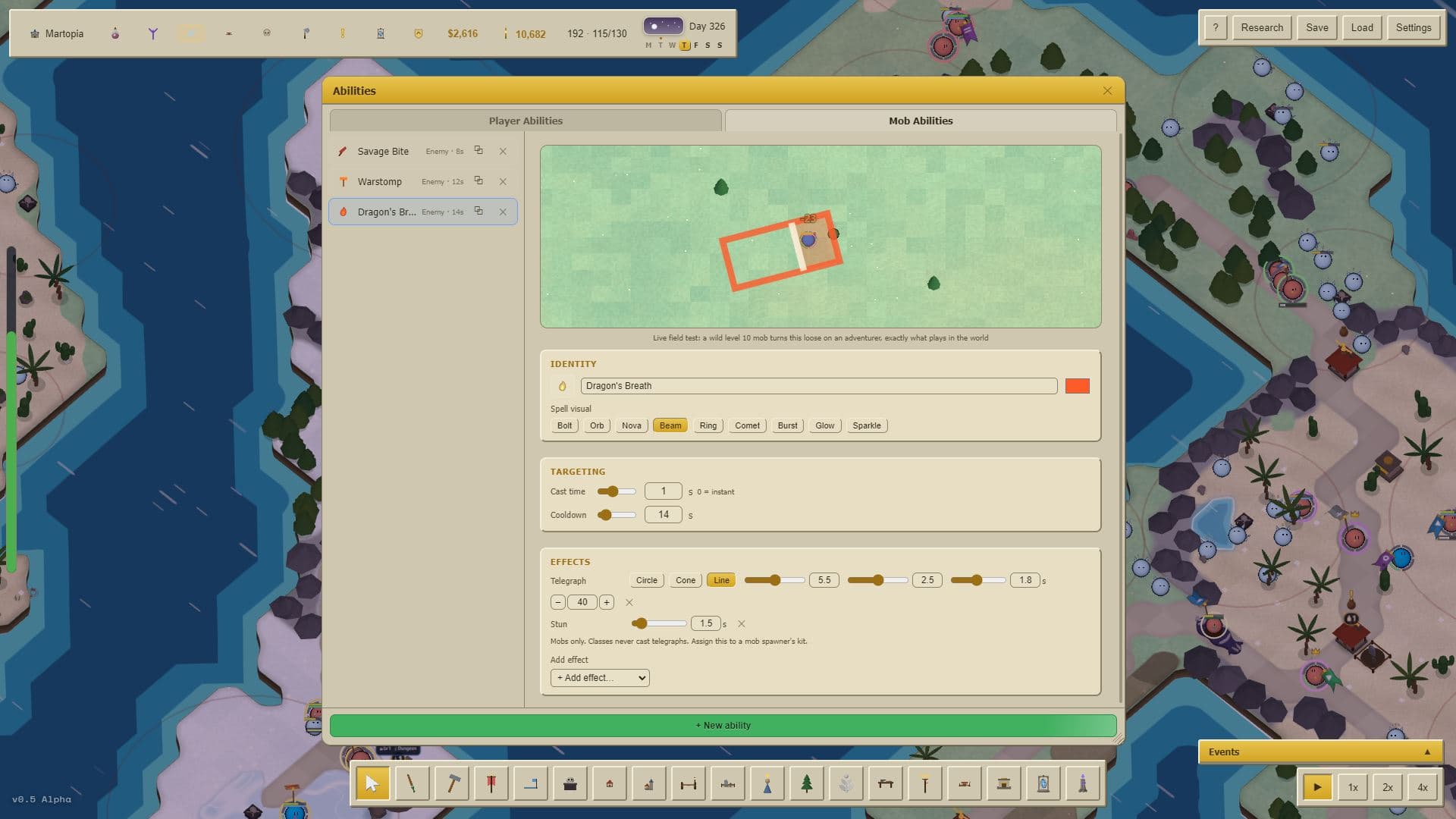
Every class needs something to press. Pick a shape (a beam, a cone, a circle on the ground), set the damage or healing, the cast time and the cooldown, and add a pet or a shapeshift form if the class calls for one.
You can fire the ability at your own monsters while you tune it. The Combat Lab then shows the rotation adventurers will fall into, so a dead button is obvious before anyone logs in.
- 05
Build the items and loot tables
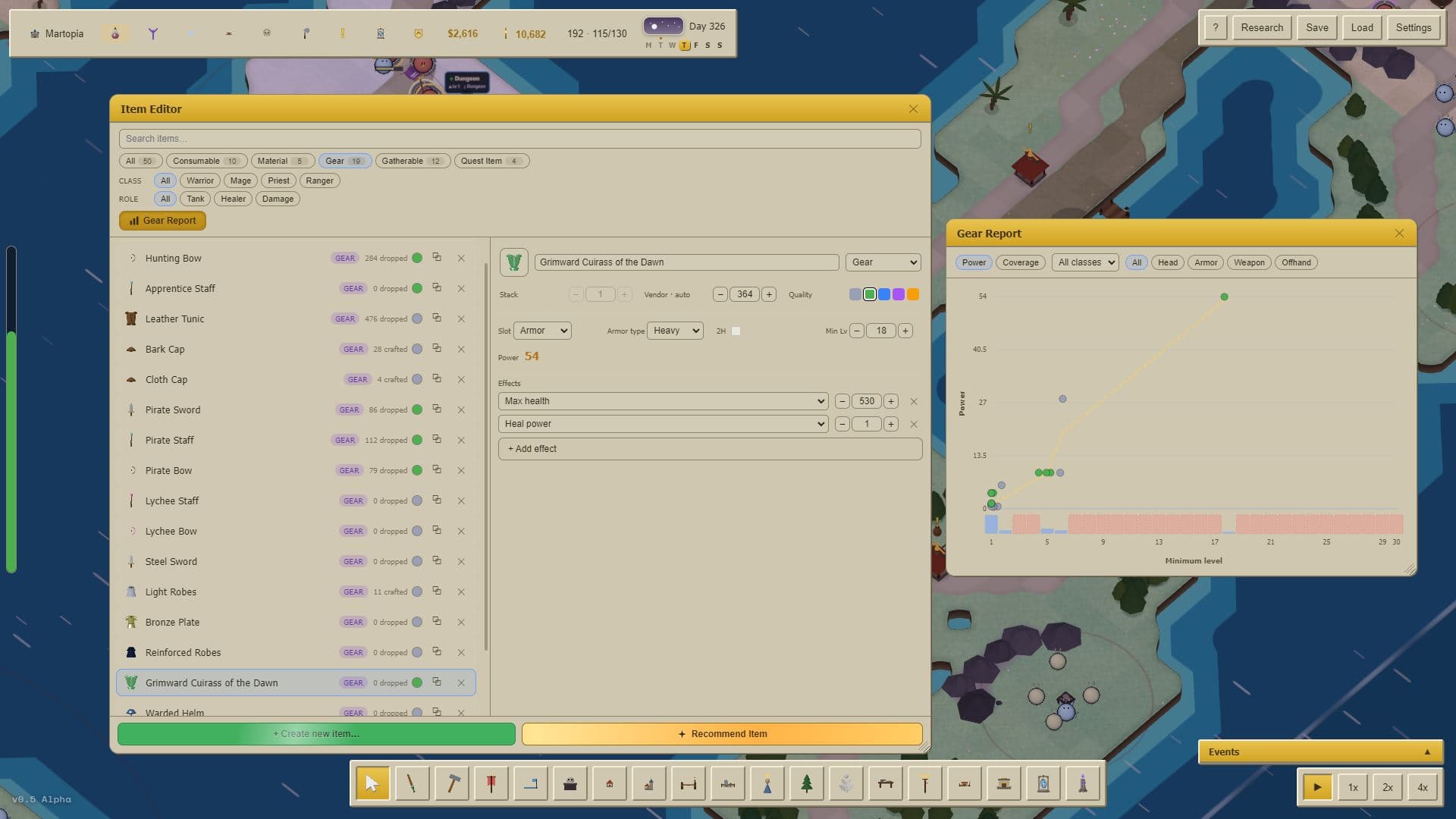
Give adventurers something to chase. Create weapons, armour, consumables and the recipes that make them, assign stats and a quality tier, then decide which monster, chest or vendor hands each one out.
One rare mount on a boss's loot table is enough to keep collectors running that dungeon for weeks. The gear report flags any level band with nothing worth wearing before your players find it.
- 06
Design the monsters
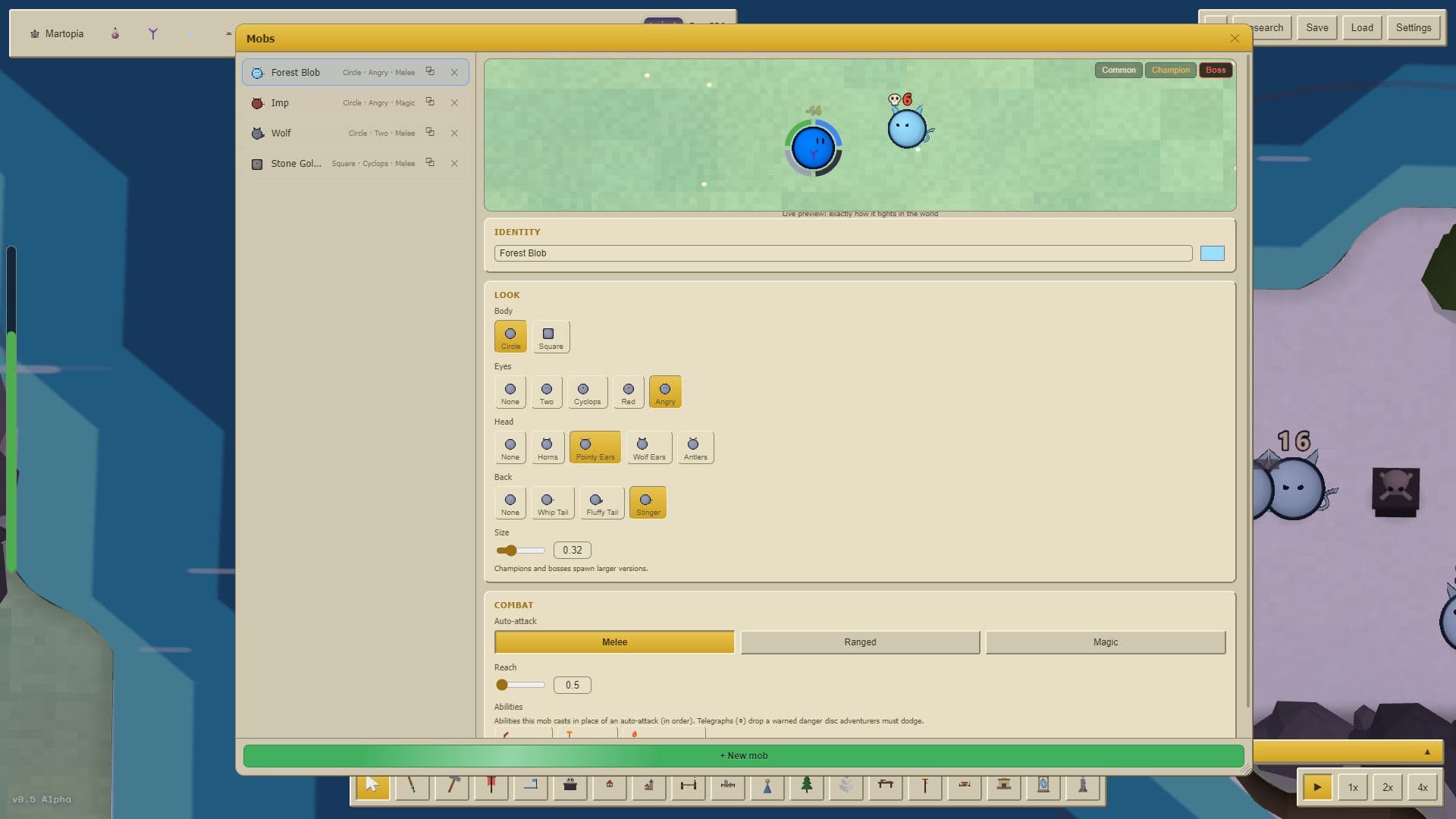
Assemble each creature from parts, give it abilities from the same editor your classes use, and scale it from trash mob to raid boss. Then decide how it behaves in the world: how far it chases, how fast it respawns and how much threat it generates.
A camp of monsters is what turns a zone into a hunting ground. Pack too few in and adventurers complain that the camp is overcrowded, naming the camp and the numbers.
- 07
Lay out dungeons and raids
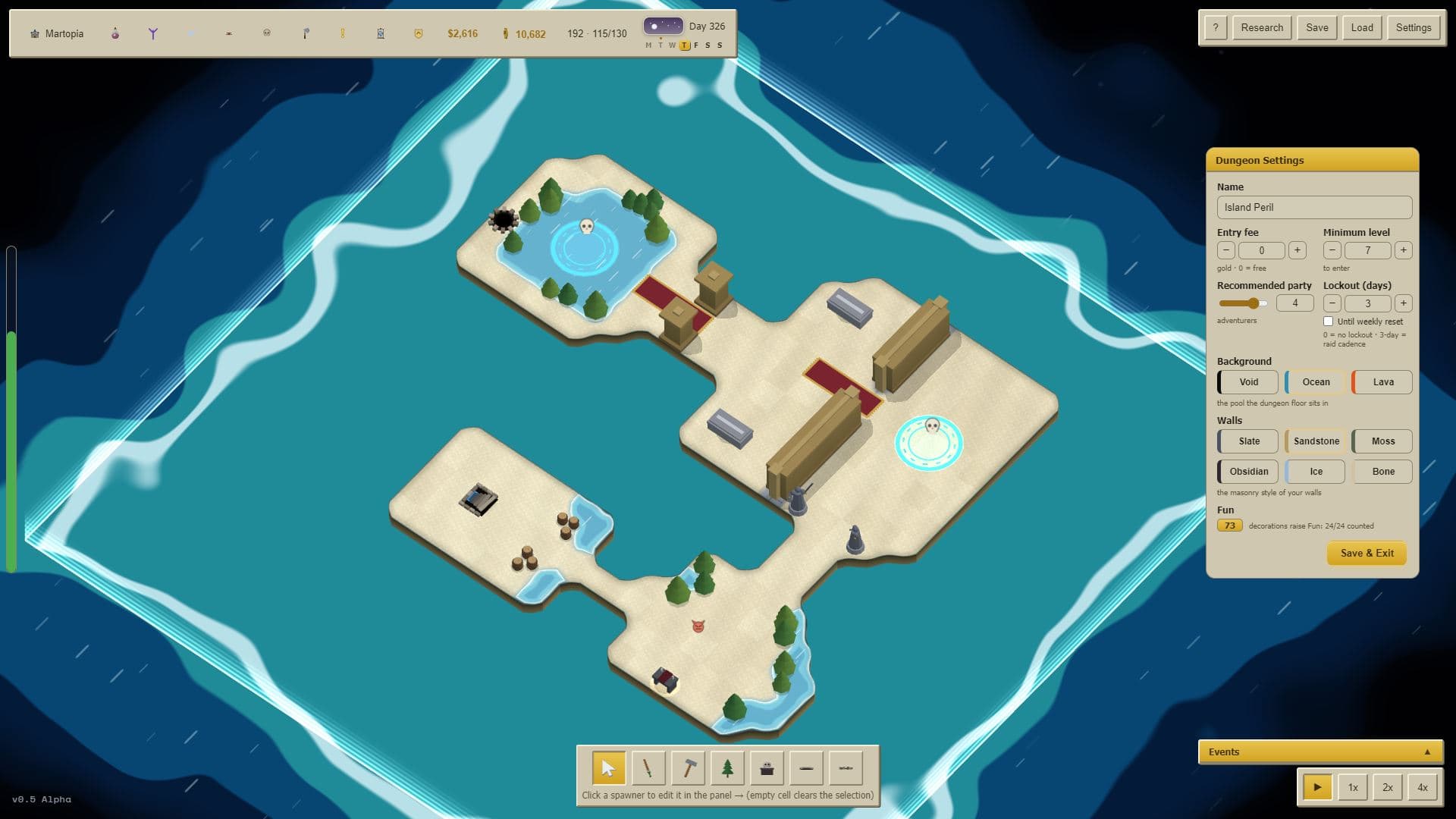
This is the part that plays like a theme-park builder. Draw the rooms, drop in trash packs and bosses, pick the loot, then choose how many adventurers may enter, how often they may come back and what it costs to get in.
Send a test party through before the doors open, then read the run reports: how many groups cleared it, how many wiped, how long it took and what dropped. The same editor scales up to thirty-player raids.
- 08
Open the servers and keep them subscribed
Simulated adventurers log in and play what you built. They level, group up, craft, trade on the auction house, join guilds and chase your rare drops, all on their own.
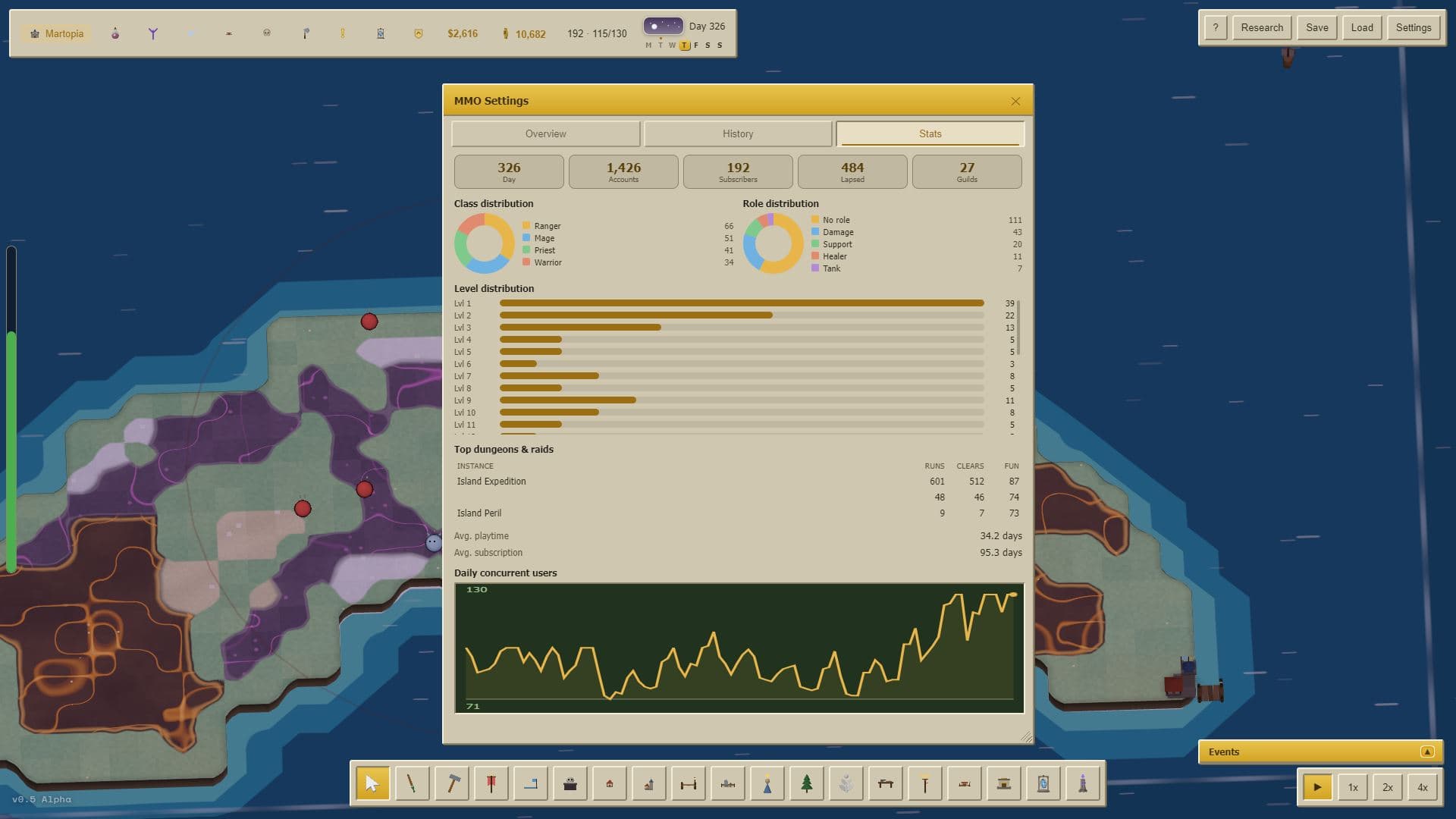
Your job becomes live operations: read the stats, fix what is broken, fund events and give players a reason to stay. Bored players cancel. Happy ones bring friends.
Questions about building an MMO in MMOS
- Do I need to code to build my own MMO in MMOS?
- No. Every editor is visual: you pick, place and set values. There is no scripting language and nothing to install beyond the game.
- Can my friends play the MMO I build?
- Not as players. MMOS is single-player: the people on your servers are simulated adventurers with their own goals, so you can run a whole MMO without hosting anything. You can share what you build as a Content Pack that another MMOS player can load into their own world.
- How is this different from an MMO engine or an MMO maker kit?
- An engine gives you tools to make a game you then have to build, host and fill with real players. MMOS is a finished management game. Building the MMO is the gameplay, and the players arrive on their own.
- Do I have to build everything before I can play?
- No. Starter content and sandbox settings get a world running in minutes. Build your own races, classes, dungeons and loot as you go, and the adventurers pick them up the moment they go live.
- Where can I try it?
- The free demo is on Steam and itch.io now. The full game launches on Steam on 11 December 2026.